From Messy LAMP to Structured .NET: My Journey Building a Real-Time Chat App
How Libraries, Design Patterns, and Real-Time Messaging Transformed My Approach to Full-Stack Development
This repository contains a real-time chat web application with private and group chat rooms. Beyond the code, it represents a major milestone in my journey as a full-stack developer. Unlike my first full-stack project, which was built with a LAMP stack and React JS, this project embraced structure, libraries, and modern design patterns.
Reflecting on My First Full-Stack Experience
My first full-stack app was a simple portfolio admin panel. I wrote everything myself using vanilla PHP—auth, password handling (stored in an environment variable on Linux), and CRUD operations. It worked, but it was messy, hard to maintain, and didn’t follow any formal architecture. It taught me the basics, but I realized that building scalable applications required a different approach.
Why This Project Was Different
This chat app is almost the opposite. I embraced the tools and libraries that exist to solve common problems efficiently:
Entity Framework Core for ORM and database access
ASP.NET Core Identity for authentication
SignalR for real-time messaging
React-Virtuoso for infinite scrolling on the frontend
This allowed me to focus on architecture, features, and maintainability, rather than reinventing the wheel. Organizing the backend into repositories, services, and controllers and keeping the frontend modular with React + Redux Toolkit made the code much closer to a production-ready setup. Following design patterns taught me how to separate concerns effectively, think in layers, and write code that can scale and evolve.
Challenges and Lessons Learned
One of the biggest hurdles was implementing infinite scroll on the frontend. I wanted it to work for both normal and reverse scrolling, be responsive across all screen sizes, and integrate seamlessly with backend data. React-Virtuoso’s documentation was tricky at times, and I had to experiment with layout options and performance optimizations.
To support this, I also had to implement backend pagination, fetching only the content needed for the current scroll position. This taught me how frontend and backend must work together, and how proper data fetching strategies impact both performance and user experience.
Real-time messaging with SignalR added another layer of complexity. Handling WebSocket connections, broadcasting messages, and managing group membership pushed me to understand event-driven architecture more deeply. Using middleware and following design patterns made these challenges manageable and reinforced best practices.
Technology Stack
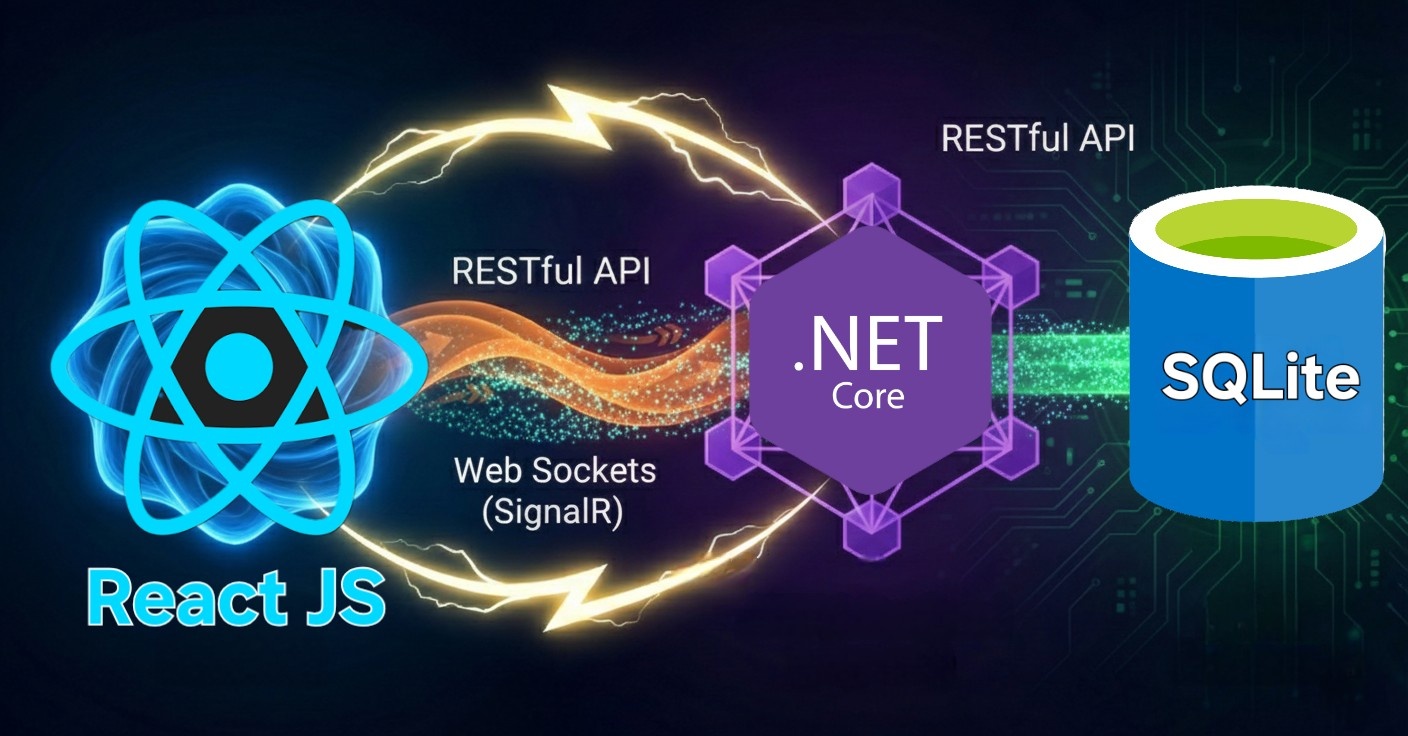
Backend: .NET 8, ASP.NET Core Identity, Entity Framework Core, SignalR
Database: SQLite (with encryption support)
Frontend: React 19, TypeScript, Redux Toolkit, Bootstrap
Real-time transport: SignalR (WebSockets)
Deployment: Docker, Docker Compose, deploy.sh script
Key Features I Built
User authentication with account creation and password login
Private (one-on-one) and group chat rooms
Member management and group renaming
Message actions: like/unlike, mark as read, delete
Pagination for users, chats, and messages; chats ordered by recent activity
Infinite scrolling for messages (both normal and reverse scroll)
User profiles with avatar and bio
Architecture Insights
The backend uses a layered architecture: API controllers, SignalR hubs, a service layer for business logic, and a repository layer for data access. Identity handles authentication, while SignalR hubs manage real-time events. Structuring the project this way not only made development smoother but also taught me how to think like a professional backend developer.
Deployment & Environment
Setting up Docker, docker-compose, and deploy.sh scripts for development, staging, and production workflows introduced me to the world of DevOps. Documenting environment variables and deployment steps in the README gave me practical experience in running full-stack applications in real environments.
Where to Explore in the Repo
Top-level README — project overview, deployment instructions, environment examples
client/ — React frontend with TypeScript, Redux Toolkit, and infinite scroll implementation
API/ — .NET 8 backend with SignalR, EF Core, Identity, and pagination
Final Thoughts
This project marked a huge step in my growth as a full-stack developer. From my messy first app to this structured, library-driven, production-ready chat application, I learned not only new technologies but also how to approach problem-solving, architecture, and scalability. Every challenge—whether infinite scroll, real-time messaging, or pagination—was an opportunity to improve my skills and think like a professional developer.
Source Code: Github Repo |
|---|